
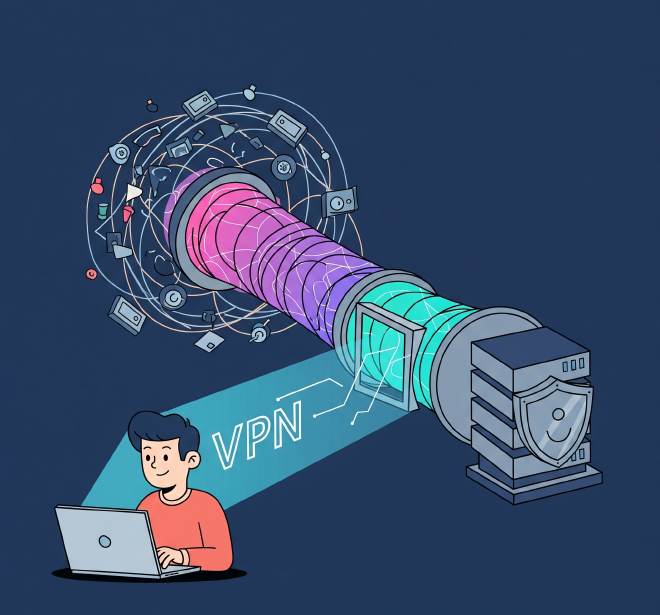
People can work from everywhere now; home, cafés, airports etc. but as company resources live inside the Office network, you need a private connection to it. A VPN allows that: it builds an encrypted tunnel from your laptop to the office network through the public internet.
A VPN does two things: encrypts the data in transit, and hides the real IP address of whatever’s connecting.
Three Types of VPN#
There are three architectures companies actually use, depending on what’s connecting:
Client VPN — a device runs client software and tunnels into a corporate gateway (Router/ Firewall). One person, one connection.
Site-to-site VPN — two network edges (firewalls, routers, cloud gateways) maintain a permanent tunnel so two networks can reach each other. No client software involved.
Clientless VPN — a browser-based portal that proxies access to specific internal web apps. No software installation required.
Client VPN#
Goal: make a remote device look like it's plugged into the office network.
- Initiate connection — user launches the VPN client.
- Authentication — the client authenticates against the VPN gateway. This usually calls out to RADIUS or Active Directory/LDAP, so the gateway isn’t storing passwords itself. MFA is typically enforced here too.
- Tunnel established — client and gateway build an encrypted tunnel.
- IP assignment — the gateway assigns the device a private IP from the internal range (e.g.
10.11.24.5), replacing its public IP for internal traffic. - Access — the device can now reach internal resources as if it were on-site.
Split tunnel vs. full tunnel:
- Full tunnel — all traffic, including general browsing, goes through the corporate tunnel. More secure and easier to monitor, but adds load and latency.
- Split tunnel — only traffic to company subnets goes through the tunnel; everything else uses the local internet directly. Better performance, smaller security boundary.
Site-to-Site VPN#
This connects whole networks, not individual devices — a branch office to HQ, or a data center to a cloud VPC. Nobody has to launch anything; the tunnel runs permanently between two gateways once setup.
How the tunnel forms (IPsec, two phases):
- Phase 1 (IKE SA) — the two gateways authenticate each other (pre-shared key or certificate) and agree on how to protect the negotiation itself.
- Phase 2 (IPsec SA) — using that secure channel, they negotiate encryption for the actual data tunnel and agree which subnets can talk to which.
Once both phases complete, the tunnel stays up indefinitely, re-keying periodically in the background.
Site-to-site tunnels almost always use tunnel mode — the entire original packet is encrypted and wrapped in a new one. That’s what lets private ranges (10.x.x.x on both ends) reach each other over the public internet.
Routing over the tunnel:
- Static routing — hardcode which subnets use which tunnel. Fine for one stable link.
- Dynamic routing (BGP over VPN) — the two sides advertise routes automatically. Matters once there’s more than one tunnel, since it enables automatic failover without manual route edits. This is how AWS Site-to-Site VPN is typically run in production.
Redundancy: production designs usually run dual tunnels with Dead Peer Detection (DPD) — periodic keepalives so each side notices quickly if the other drops — and active/passive or active/active failover.
Example: a branch firewall and an HQ firewall each expose a public IP as the tunnel endpoint. Behind the branch sits 192.168.10.0/24; behind HQ sits 10.0.0.0/16. The tunnel only carries traffic between those two ranges. Swap “HQ firewall” for an AWS Virtual Private Gateway or Azure VPN Gateway and the same pattern connects a branch straight into a cloud VPC.
Clientless VPN#
No client, no full network access. The user logs into a browser-based SSL portal, which acts as a reverse proxy — it presents a dashboard of specific apps the user is allowed to reach, and proxies that traffic on their behalf without putting the device on the actual network.
Used for: contractors, vendors, BYOD — anyone who needs one internal web app, not the whole network. Smaller blast radius if compromised, since only the published app is exposed.
Limitation: it proxies web traffic. Non-web protocols like RDP or SMB need extra plugins or an HTML5 gateway bolted onto the portal — it’s not native the way it is with a full client VPN.
Comparison#
| Client VPN | Site-to-Site VPN | Clientless VPN | |
|---|---|---|---|
| Connects | One device to a network | One network to another | One browser session to one app |
| End-user software | VPN client | None | Browser only |
| Setup complexity | Moderate | Higher (routing, redundancy) | Low |
| Security scope | Whole network, per device | Whole network, permanently | Single app, per session |
| Typical protocols | OpenVPN, IKEv2, WireGuard | IPsec (IKEv1/IKEv2) | SSL/TLS |
Protocols#
- OpenVPN — widely used, configurable, well-trusted.
- IPsec/L2TP — L2TP builds the tunnel, IPsec encrypts it. The backbone of most site-to-site deployments.
- IKEv2 — pairs with IPsec; re-establishes tunnels quickly after network drops, popular for mobile devices switching between Wi-Fi and cellular.
- SSL/TLS (e.g. AnyConnect) — looks like normal HTTPS traffic, so it passes through restrictive firewalls easily.
- WireGuard — newer, smaller codebase, modern cryptography, faster setup and throughput. Enterprise adoption is growing, though it still trails IPsec on built-in auth integrations.
Related but distinct: GRE tunnels traffic between sites but isn’t encrypted on its own (often paired with IPsec). MPLS is a carrier-provided private routing service, not an encrypted tunnel — sometimes used alongside or instead of site-to-site VPN.
Build vs. Buy#
Third-party solution — e.g. Cisco AnyConnect, Palo Alto GlobalProtect, Microsoft Always On VPN. Robust and vendor-supported, but you’re locked into their ecosystem.
Custom solution — self-managed, on-prem or cloud (Azure VNet, self-hosted WireGuard). Full control, but the setup, maintenance, and security are entirely on you.
Where This Is Heading#
SD-WAN is increasingly replacing traditional site-to-site VPN for multi-branch companies, managing many tunnels centrally and routing dynamically based on real-time link performance. On the client side, Zero Trust Network Access (ZTNA), often part of a broader SASE setup, is positioned as the successor to client VPN — granting access app-by-app with continuous verification, rather than broad network access after a single login.
Conclusion#
A VPN isn’t one technology, it’s three patterns solving three different problems: a laptop tunneling in from a café, two firewalls keeping a branch and HQ connected, or a contractor reaching a single app through a browser. Each extends the corporate network to wherever it’s needed, in whatever shape actually fits.